Zeek
Overview
The Zeek service connector is the link that brings network metadata generated by Zeek/Corelight sensors into the ActiveEye system for analysis and alert generation. This document describes the basic setup for notification collection.
Prerequisites
To create a Zeek service connector, you must have the serial number of the Zeek device that will send data to ActiveEye.
Creating the Service Connector
- In ActiveEye, in the left pane, click Admin, and then click Service Connectors.
The Service Connectors page appears. - In the upper-left corner of the page, click Add Connector.
A list of service connectors appears.
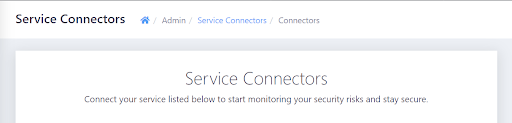
- Scroll down to the SYSTEMS & APPLICATIONS section, and then, in the Zeek subsection, click the Add Connection button.
The Add Connector Account page appears. - In the Display Name box, enter a unique name.
- In the Serial Number box, enter the serial number of the Zeek device that will send data to ActiveEye.
- Optionally, modify the priority level in the Priority box. Raising or lowering the priority will increase or decrease the visibility of alerts related to this service connector.
- If you do not want data ingestion to begin immediately, clear the Enable Account checkbox. Otherwise, leave the checkbox selected.
- Click Add.
The Zeek service connector is created.